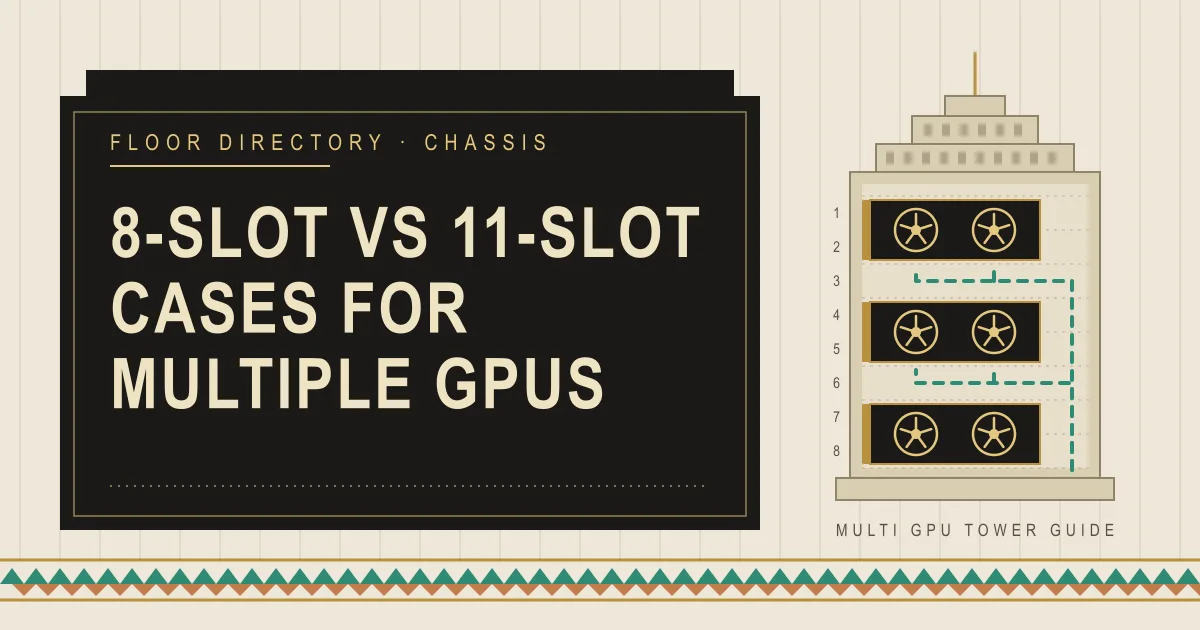
An 8-slot case has enough rear openings for multiple directly mounted GPUs if their required openings fit within the first eight horizontal rows without overlapping. If a lower card needs three openings starting at row 7, it reaches row 9. A tower with 11 horizontal openings has that extra row. CORSAIR case specs · Phanteks case specs
Count the horizontal openings
Start at the top of the stack of horizontal covers on the back of the case. Count down that stack. On the CORSAIR 7000 Series, the three vertical openings sit beside the horizontal stack, outside the horizontal count. CORSAIR vertical mounting guide
| Case example | Rear expansion layout |
|---|---|
| CORSAIR 7000D AIRFLOW | 8 horizontal openings and 3 separate vertical openings. Case specs |
| Phanteks Enthoo Pro 2 Server V2 | 11 rear expansion openings. Case specs |
Map both GPUs to the rear openings
- Find each starting row. With the board in its installed orientation, match each planned PCIe connector to the rear opening where the card bracket lines up. Count every horizontal opening above it, including positions with no motherboard connector. ASUS installation guide
- Mark the rows each card requires. Use the card maker’s case-clearance guidance for your exact model. For a card whose required rows run down from its starting row, add the number of required rows and subtract one to get the last row. NVIDIA case-clearance example
- Compare the ranges. If both cards need the same row, their required space overlaps. If the lower card’s last required row exceeds the case’s total count, the case lacks a required opening. ASUS installation guide · CORSAIR case specs
The table works through hypothetical layouts. In each one, the upper card takes rows 2 through 4.
| Lower card starts at | Lower card needs | Lower card uses | 8 horizontal openings | 11 horizontal openings |
|---|---|---|---|---|
| Row 6 | 3 rows | 6–8 | Enough | Enough |
| Row 7 | 2 rows | 7–8 | Enough | Enough |
| Row 7 | 3 rows | 7–9 | Short by one | Enough |
If the lower card started at row 4, both cards would need row 4. That overlap would rule out the layout even in the larger case.
If row 9 is required and row 7 is the only usable start for the lower card, the same arithmetic leaves two options in this comparison. Use a case with the required opening or choose a card that fits within rows 7 and 8. ASUS installation guide · Phanteks case specs
Check the space around the bottom GPU
- Motherboard and length. Verify the board format and dimensions against the case’s supported sizes. Compare the exact card’s length with the case’s GPU limit. CORSAIR case specs · Phanteks case specs · ASUS chassis guide
- Cooler and nearby hardware. Check the card’s full thickness at its planned position. If you use the Enthoo Pro 2 Server V2’s bottom storage bracket, check whether it leaves enough room for the card. Power off and unplug the computer before assembling or disassembling it. NVIDIA case guidance · Phanteks case specs · ASUS chassis guide
- Cable and airflow space. NVIDIA calls for three slots of case clearance (61 mm) and 36 mm of extra power-cable space for the RTX 4090 Founders Edition. NVIDIA says another slot’s worth of free space around that card will typically improve airflow. Use the guidance for your exact card. NVIDIA case guidance
Evidence and limits. The manufacturer pages for the CORSAIR 7000D AIRFLOW, Phanteks Enthoo Pro 2 Server V2 and NVIDIA RTX 4090 Founders Edition, plus ASUS’s installation guidance, were checked on November 26, 2026. No physical fit checks were performed.


